Physician assistant credentialing starts with the clinician's qualifications, but practice readiness also depends on payer enrollment, the applicable payer agreement, billing entity, service locations and effective dates. Verify each part for the actual position. A PA's prior enrollment or the group's existing contract does not settle a new arrangement automatically.
Give the onboarding owner a clear description of where the PA will work, which services they will provide and which patients the practice expects them to see. That description determines the questions to ask.
Bring the proposed start date, locations and payer list. PPS can discuss the credentialing and enrollment work your practice needs to coordinate.

Check the state and role first
Confirm current licensing and practice requirements with the relevant state board. Requirements for supervision, collaboration, prescribing and documentation can vary. AAPA's state practice resources can help orient that research; confirm the rules for the planned role with the board. Do not copy a relationship agreement from another state or assume a previous employer's arrangement fits the new role.
Identify any facility privileges, registrations or supporting documents required for the planned services. Keep these separate from health-plan participation: completing one process does not complete the others.
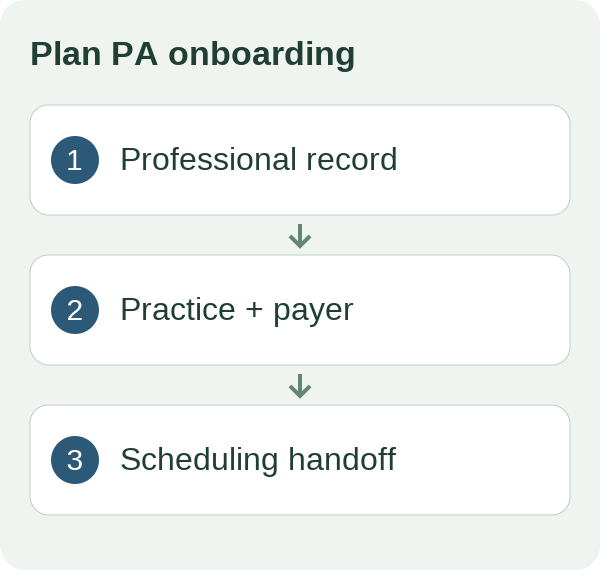
Assemble a consistent record
Prepare the PA's identity and professional history, NPI, applicable license and certification documentation, liability coverage, and the practice information requested by each payer. Resolve conflicting addresses or names before submission.
A working packet should also identify the billing entity and tax ID, service locations and proposed relationship to the practice. Confirm who will provide signatures, answer disclosures and respond to missing-information requests. The practice should not discover after submission that the responsible signer is unavailable.
Where a payer uses DataSpring, powered by CAQH, review profile access and supporting documents as part of the packet. Check the payer's instructions rather than assuming a profile update submits an enrollment request. Our CAQH profile guide explains the distinction.
Verify Medicare enrollment and practice linkage
CMS lists physician assistants among practitioners who can enroll using the individual enrollment process. Check the PA's record and the applicable relationship to the billing practice in PECOS. Determine what new enrollment, reassignment or change request is needed for the planned arrangement. Ask the Medicare Administrative Contractor when the correct enrollment scenario is unclear.
Do not substitute another clinician's identifier simply because the PA's enrollment is unresolved. Billing rules depend on the service and circumstances. Have the billing team confirm the applicable requirements before deciding how visits will be billed.
Track Medicare Advantage and other plans separately. An Original Medicare enrollment record does not, by itself, confirm the PA's network participation in a Medicare Advantage plan.
Ask each commercial payer concrete questions
- Which application or roster process applies to this PA and practice?
- Does the request cover the intended product, billing entity and office?
- Is an existing record tied to a different group?
- What written confirmation will establish the approved arrangement and its effective date?
UnitedHealthcare's onboarding guidance, for example, describes an onboarding request for a new individual provider joining an existing group contract. Its instructions currently vary by state and provider circumstances. Confirm the route that applies to your PA rather than assuming the group's contract completes the work. Other payers and delegated arrangements may use different processes.
Make the scheduling handoff explicit
Before opening the in-network appointment template, review the PA's status by payer, product and location. Tell scheduling what is confirmed, what remains unresolved and who will approve changes to the plan.
Use a short handoff record:
- Intended services and locations.
- Completed professional and practice requirements.
- Payer-specific participation evidence, billing entity and effective dates.
- Remaining issues, owners and follow-up dates.
- Instructions agreed with scheduling and billing.
Hypothetical handoff: “Credential review is complete. The payer has not confirmed the PA's linkage to our tax ID at the second office. The enrollment coordinator will request written confirmation and follow up Friday. Scheduling will keep that payer's second-office appointments on hold until the practice manager reviews the response.” This identifies the unresolved question, the owner and the next decision.
Employment start, credentialing completion and confirmed payer participation can occur on different dates. Plan around those distinctions rather than promising one universal completion date. Credentialing approval alone does not guarantee payment; eligibility, covered services, authorization and claim requirements still need attention.
Get the enrollment work organized
Discuss your PA's planned services, offices and payer mix with PPS. We can help identify the records and payer-specific work to coordinate.
Start with the checklist to organize your records before the conversation. Keep sensitive documents in your practice's approved secure process.